
The 9 Best Cameras For YouTube of 2025 (Over 80+ Cameras Tested For Pro-Level Videography)
YouTube content creation demands 2 things, ideas to make videos and a best video camera. You can make amazing YouTube videos on a tight budget. We tested 80+ video cameras for Youtubers looking to find the best option and help you pick the perfect YouTube camera that can fulfill your requirements. You’ll find our recommendations of the best YouTube cameras to buy in 2025.
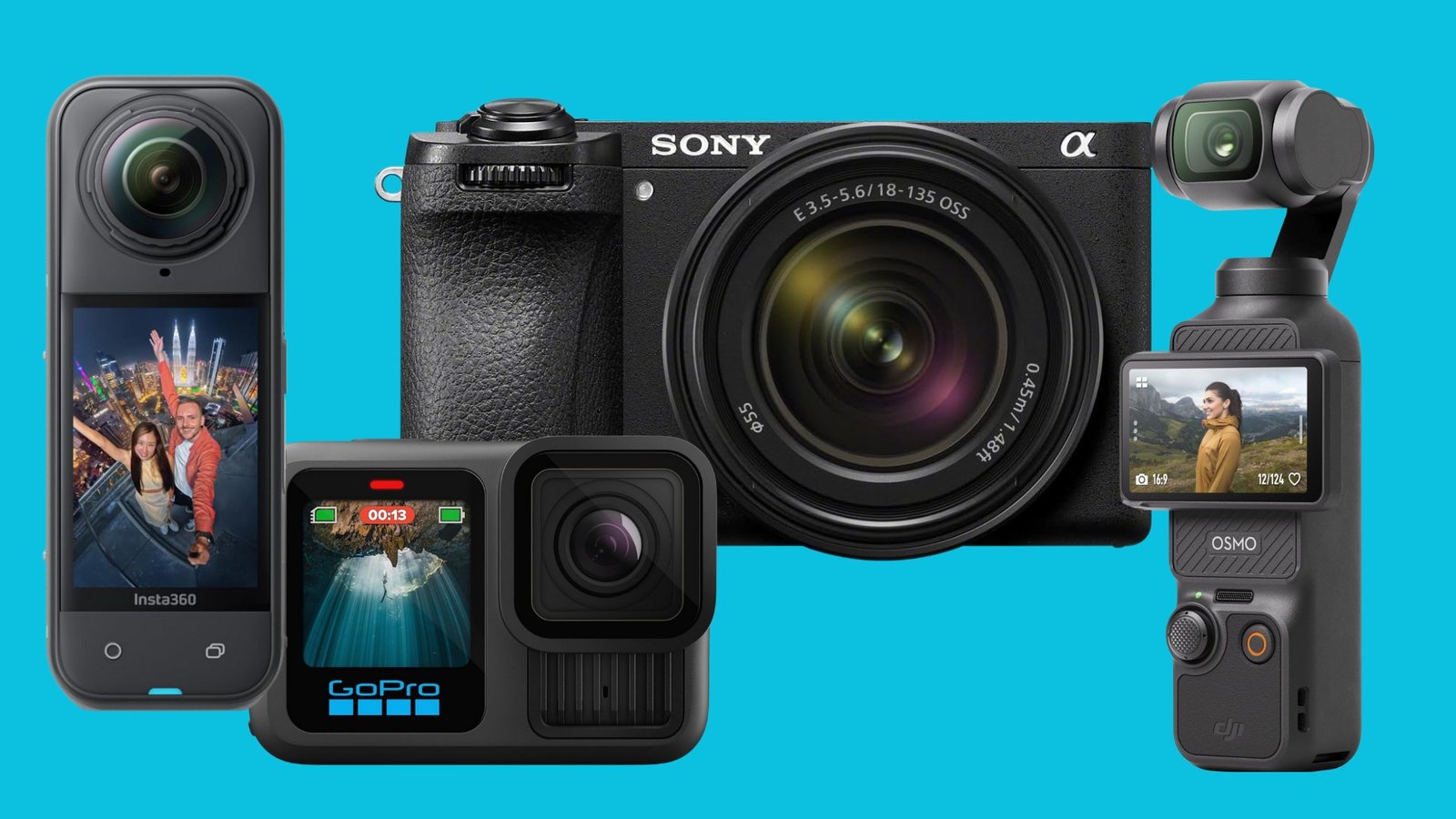
Best Cameras For YouTube
- Best Overall: DJI Osmo Pocket 3 Camera
- Best Value: GoPro Hero 13 Black Camera
- Most Compact: Sony Alpha 6700 Camera
- Best Premium:Sony ZV-E1
- Easiest To Use: Insta360 X5 Camera
We’ve Independently Tested 80+ Cameras For YouTube Videos
From latest vlogging cameras like the Sony ZV-E10 II to video-focused full-frame options such as the Sony ZV-E1, we have a camera for every type of creator with any range of budget. The real challenge isn’t just finding cameras—it’s finding the best one for your YouTube video creation specific needs. Just create your YouTube channel and start publishing your videos today.
Best YouTube Camera
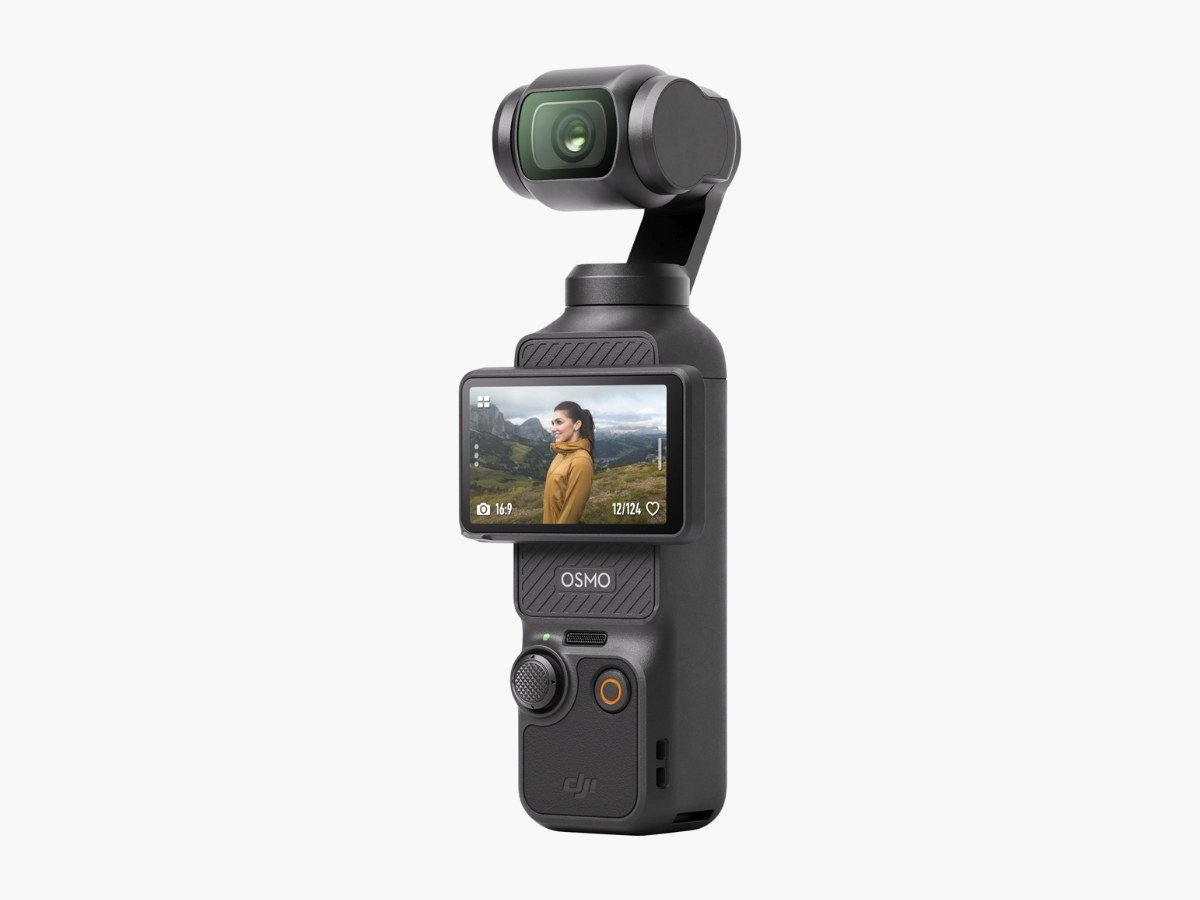
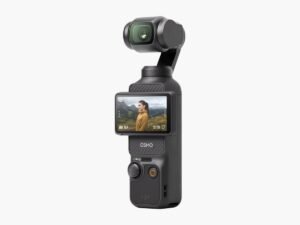
If you’re just starting out on YouTube, the DJI Pocket 3 is one of the best camera for YouTube videos. It offers something portable along 4k video resolution and professional features into a pocket-sized vlog camera. Its rotatable touchscreen flips between horizontal and vertical shooting, which is helpful if you create content for multiple platforms. The 1-inch sensor captures good detail in both bright and low-light situations, a significant step up from previous DJI handheld cameras. You can start recording immediately without much setup—the interface is straightforward enough for beginners.
The reason to list DJI Osmo Pocket 3 the best vlogging camera is its 4K recording at up to 120fps for slow-motion footage and stabilization. It supports 10-bit D-Log M color recording with up to one billion colors, giving you more options during editing. It also has a specialized night mode for low-light situations and creative options like SpinShot, Motionlapse, and Panorama.
Its Active Track 6.0 brings major improvements with multiple follow modes. Face Auto-Detect tracks your face automatically in selfie mode. Dynamic Framing lets you pick from six preset positions to keep your subject exactly where you want it in the frame. This tracking system locks subjects in place while the camera moves smoothly and automatically.
We reviewed that the three-axis mechanical gimbal keeps video ultra smooth even during fast movement. You can choose from different rotational speeds—Default for normal use or Fast for more intense motion. The gimbal offers multiple modes (Follow, Tilt Locked, FPV, and FPV Locked) depending on what type of shot you want.
The upgrades include its 1-inch sensor is larger than what you’d typically find in pocket cameras, while the 2-inch rotatable screen switches easily between horizontal and vertical orientations. Fast charging gets you to 80% battery in 16 minutes, providing up to 116 minutes of 4K/60fps recording. The 3-microphone setup captures stereo sound and reduces wind noise.
Best Mid-Range YouTube Camera
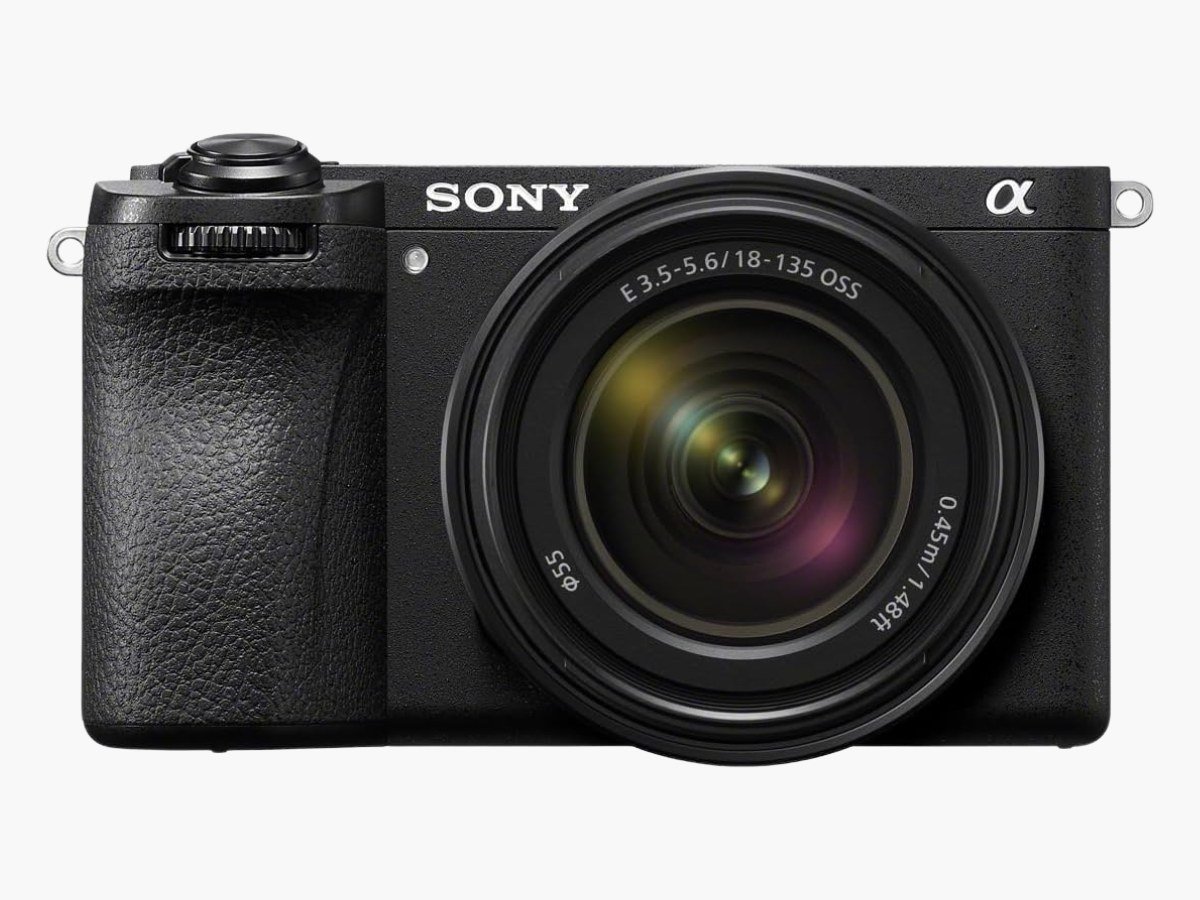
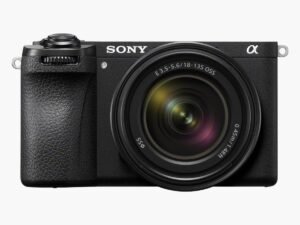
The Sony α6700 camera offers advanced video features without the full-frame price tag. It packs ultra high capabilities into a compact body that won’t weigh down your gear bag or goes outside your budget. Its 26MP APS-C Exmor R, paired with Sony’s BIONZ XR processor. Its dedicated AI Processing Unit handles the heavy lifting for autofocus and subject tracking. The α6700 works equally well for photos and videos, making it ideal if you create content across multiple platforms or need all-in-one solution in a single camera body.
Video quality separates the α6700 from cheaper alternatives because you can record 4K resolution video at up to 120fps with 10-bit 4:2:2 color depth. The 4K/60p mode oversamples from 6K resolution using the full sensor width, so you get sharper results than standard 4K recording. Its rolling shutter has been improved significantly—full-width 4K footage reads out at 15.8ms, nearly twice as fast as previous Sony models.
Sony borrowed the same AI autofocus system from their premium ZV-E1 for the α6700. You get 759 phase-detection points covering 93% of the sensor in photo mode and 495 points for video. It has the all new AI Processing Unit to recognizes different subjects automatically for human pose estimation works even when faces are partially hidden. Separate modes for humans, animals/birds, insects, cars/trains, and airplanes. It is also best at real-time tracking that sticks to moving subjects so the videos stay smooth whether you’re riding a bike or recording fast action videos.
The α6700’s 5-axis in-body stabilization system manages camera shaking perfectly. It offers up to 5.0 stops of stabilization according to CIPA standards, letting you shoot handheld at shutter speeds as slow as 1/8 second. You also get an Active Mode that crops footage slightly (1.13x) for stronger stabilization during walking shots. The stabilization works with the AI processor to improve communication between the camera and lens.
We tested that the α6700 offers high-end camera features down to a more mid range price while keeping the compact size that makes it best Sony camera for YouTube content creation.
Best Entry-Level YouTube Camera
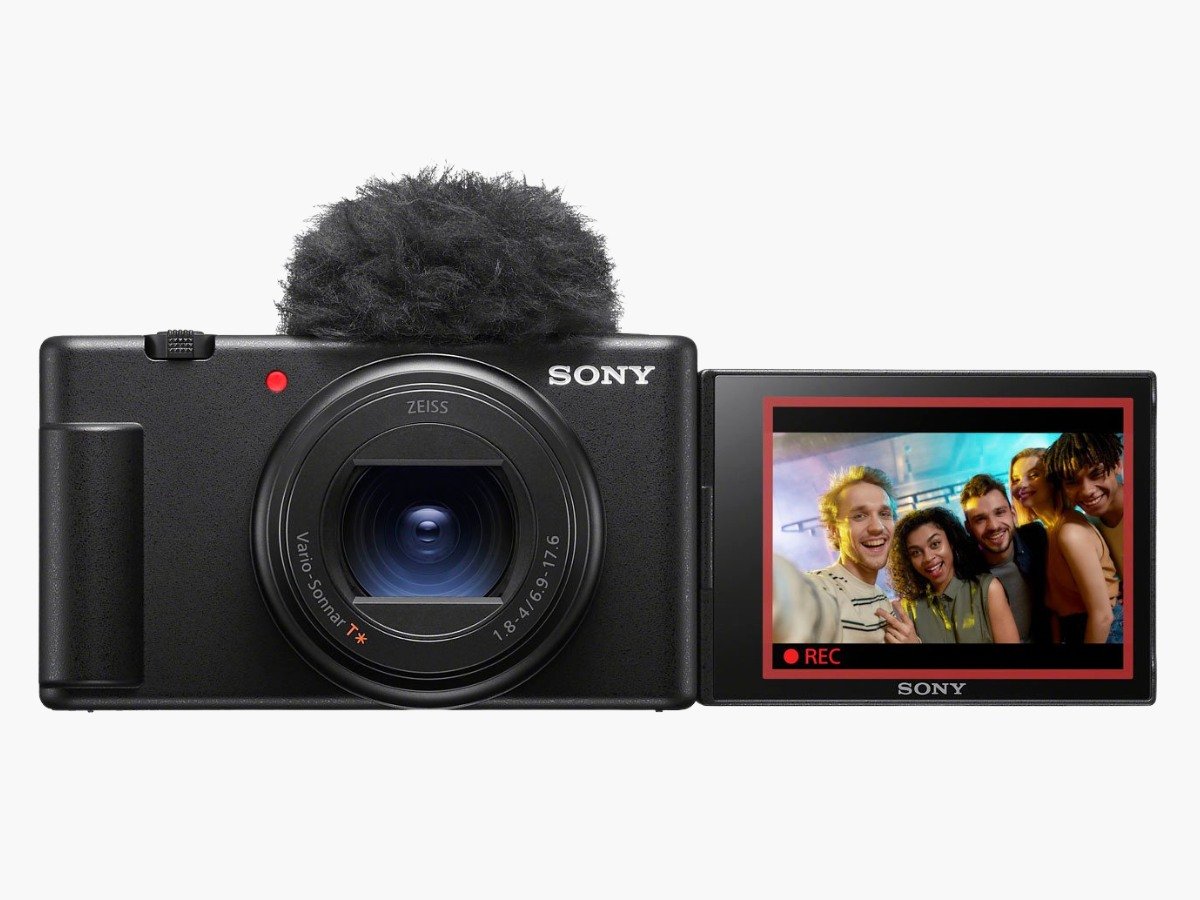
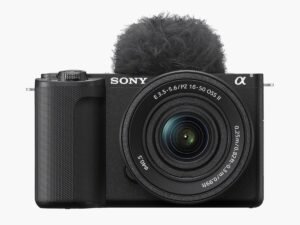
The Sony ZV-E10 II vlogging camera offers more than you’d expect due to its video quality and amazing value for YouTube creators starting as beginners. The ZV-E10 II now comes with internal 10-bit 4:2:2 color recording, unlike its predecessor model. So you get over a billion colors instead of 8-bit’s 16.7 million and have 64 times more color information to work with in your videos.
The ZV-E10 II takes video quality to new heights compared to the original model. You can now shoot 4K video at 60 frames per second, which is a big deal as it means that you’ll get smoother footage than the 30fps limit of the previous version. The higher frame rate creates smoother footage and opens up creative possibilities for slow-motion effects. Your 4K footage looks sharper and more detailed thanks to 5.6K oversampling. It uses the full sensor width without cropping in 4K30 mode, and 4K60 only needs a tiny 1.1x crop.
Among other great features, its YouTube product showcase mode automatically shifts focus from your face to objects you hold up to the camera for review videos and product demonstrations. The ZV-E10 II lacks in-body image stabilization, but its digital stabilization works well for handheld shooting. Active Mode stabilization keeps footage steady, though it crops your image by 1.33x.
During comparison with the original ZV-E10 model, It has much better battery life with the larger NP-FZ100 battery, roughly double the recording time of the original model. The new improved grip and relocated SD card slot that stays accessible when tripod-mounted is also worth considering. It also has the vertical menu mode for creators who switch between horizontal and vertical formats for different platforms.
At $800, the ZV-E10 II brings high-end camera features to an entry-level price for YouTube content creation.
Best Compact YouTube Camera
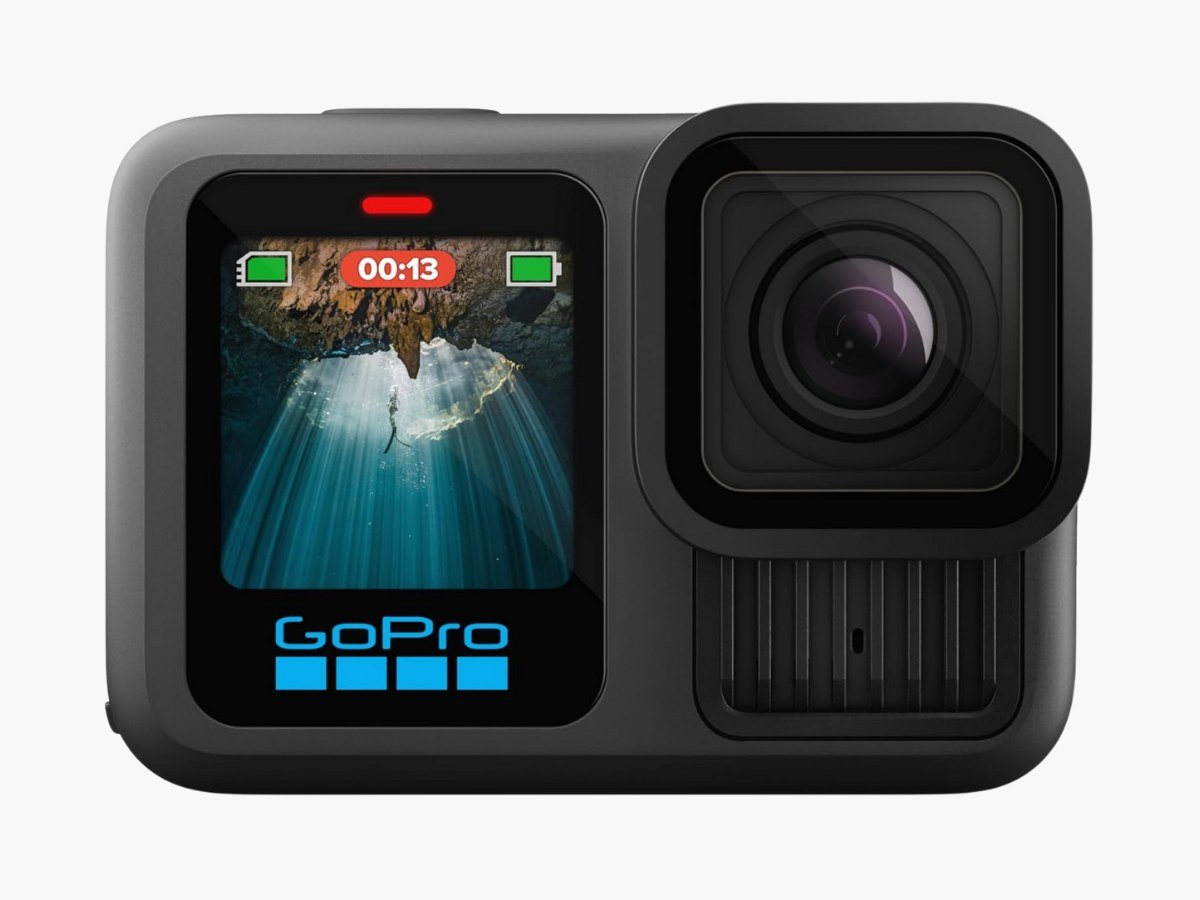
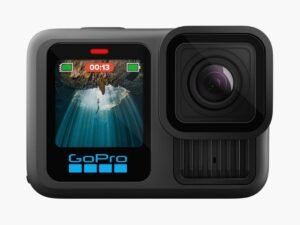
YouTube creators who make action videos need a tough camera, and the GoPro Hero13 Black is our favorite option to record videos in extreme conditions. GoPro’s latest model builds on its proven durability and adds new features that content creators will love. Built for extreme conditions, it captures smooth footage whether you’re mountain biking, surfing, or just need something that won’t break when dropped.
The Hero13 Black keeps GoPro’s compact design while upgrading impressive specs. It is the action vlog camera packs the same 1/1.9-inch-type CMOS sensor found in Hero12 model into a pocket-sized body that weighs 159g with mounting hardware attached. . You can take it underwater up to 33 feet, and it works great in temperatures from 14 to 95°F.
The Hero13 Black’s biggest upgrade is its HyperSmooth 6.0 stabilization system that analyze camera movement and crops the image sensor to cut down shakeness. The battery has been upgraded to new 1900 mAh Enduro Battery packs 10% more power than older versions. You can record for about 2.5 hours at 1080p/30fps or 1.5 hours at 4K/30fps. That’s enough battery time for YouTube creators without carrying spare batteries.
Beyond the rugged build, the Hero13 Black brings several updates that matter for YouTube creators. It features the state-of-the-art HB-Series lens system that detects lenses automatically. It adjusts its settings based on which lens you attach. GPS support is back, so you can add location data, and the magnetic mount lets you move the camera faster.
Its new audio system comes with two modes: Standard and Voice. Voice mode helps your narration stand out from background noise – perfect to record YouTube videos in noisy places. The magnetic cable and door let you keep shooting with constant power. If you want cinematic shots, the new ND Filter 4-Pack gives you four light reduction options (ND4, ND8, ND16, ND32) with water-repelling coating to let you control exposure in bright conditions while maintaining cinematic motion blur.
The voice control system responds to commands even when wearing gloves or when the camera is mounted out of reach. For video creators who film solo vlogs, this hands-free operation can be essential for getting the shots you need. Overall, GoPro Hero 13 black is the cheapest vlogging camera just under $350.
Best Budget YouTube Camera
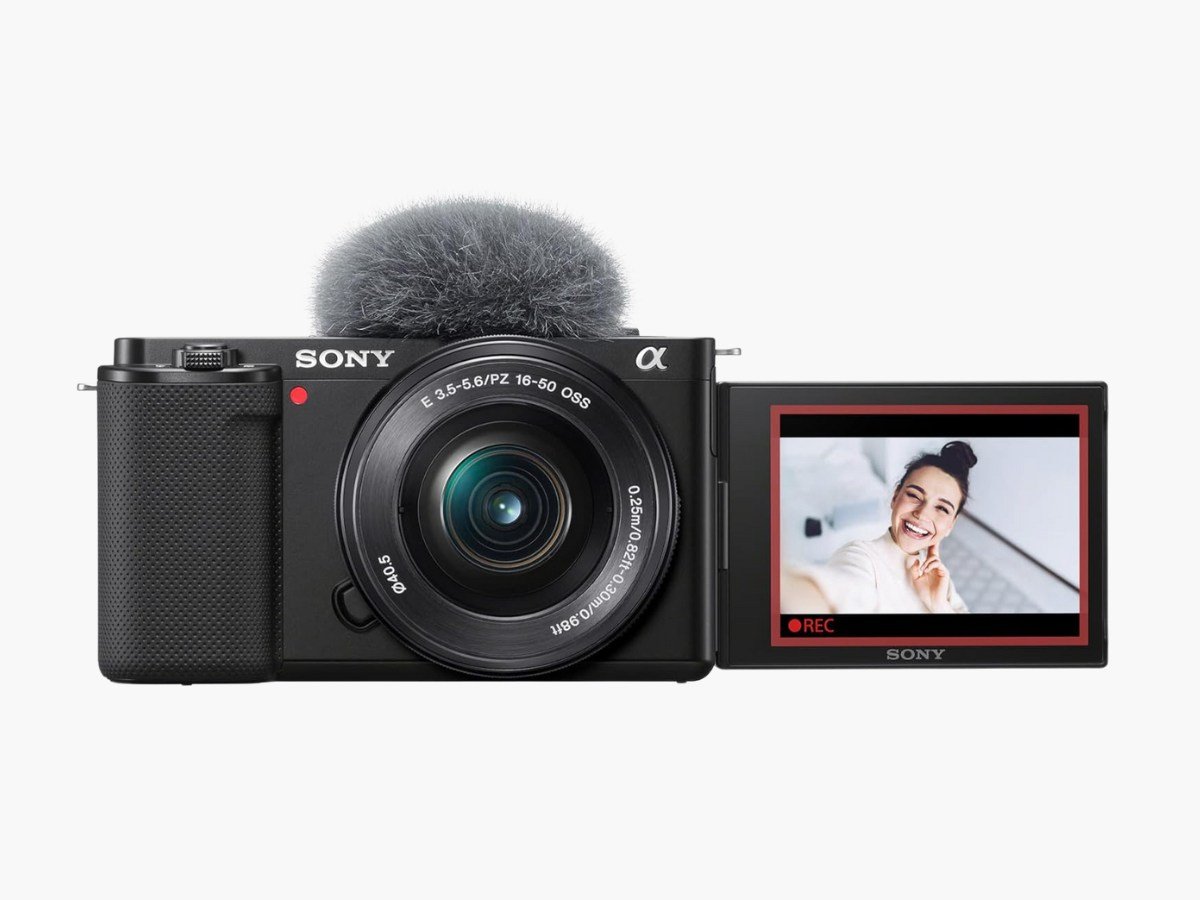
The Sony ZV-E10 vlogging camera is the best selling YouTube camera of 2025. Despite the launch of ZV-E10 II, the original Sony ZV-E10 still makes sense if you’re just getting started with YouTube and don’t want to spend over $700 on a camera gear. At around $650, it has a creator-focused design with great performance-to-price ratio that gives exceptional value to anyone starting their first YouTube videos.
The ZV-E10 has dozen of creator-specific features in a lightweight body. The flip-out LCD screen is dedicated for video creators while the handgrip has a flat design that feels comfortable to hold in selfie position without a tripod or shooting grip. It uses a 24.2MP APS-C sensor with Sony’s BIONZX processor, producing good image quality for its under budget price range. You can swap lenses as your skills improve, since it accepts any Sony E-mount lens. The camera feels comfortable for self-filming thanks to its flatter grip design and flip-out screen that actually works when you’re holding the camera at arm’s length.
Its ability to records 4K resolution at 30fps and lets you create slow-motion through its S&Q (Slow & Quick) Motion modes from 5x slower to 60x faster makes it favorite choice for YouTubers on a tight budget. The advanced Auto focus system uses 425 phase-detection points covering about 84 percent of the sensor area. AI powers this live AF tracking system for smooth, fast, and efficient subject tracking. Settings like “Autofocus Transition Speed” and “Autofocus Subj. Shift Sensitivity” help fine-tune AF performance.
We tested and reviewed its microphone quality which is also impressive, thanks to the built-in 3-capsule microphone that can be set to different directivity patterns—”Front” for vlogging, “All Directions” for ambient sound, or automatic adjustment based on what you’re filming. A windscreen comes included for outdoor recording. The camera also has a 3.5mm mic input if you want to use an external microphone later. You can adjust audio recording levels through the function menu without diving into complex settings.
At the end, we concluded that the Sony ZV-E10 is a good choice if you’re looking to upgrade from smartphone videos without spending too much. Its easy-to-use interface, 4k video, vlogger-focused features, and compact design proves it perfect camera to start making YouTube videos.
Best Premium Full-Frame YouTube Camera
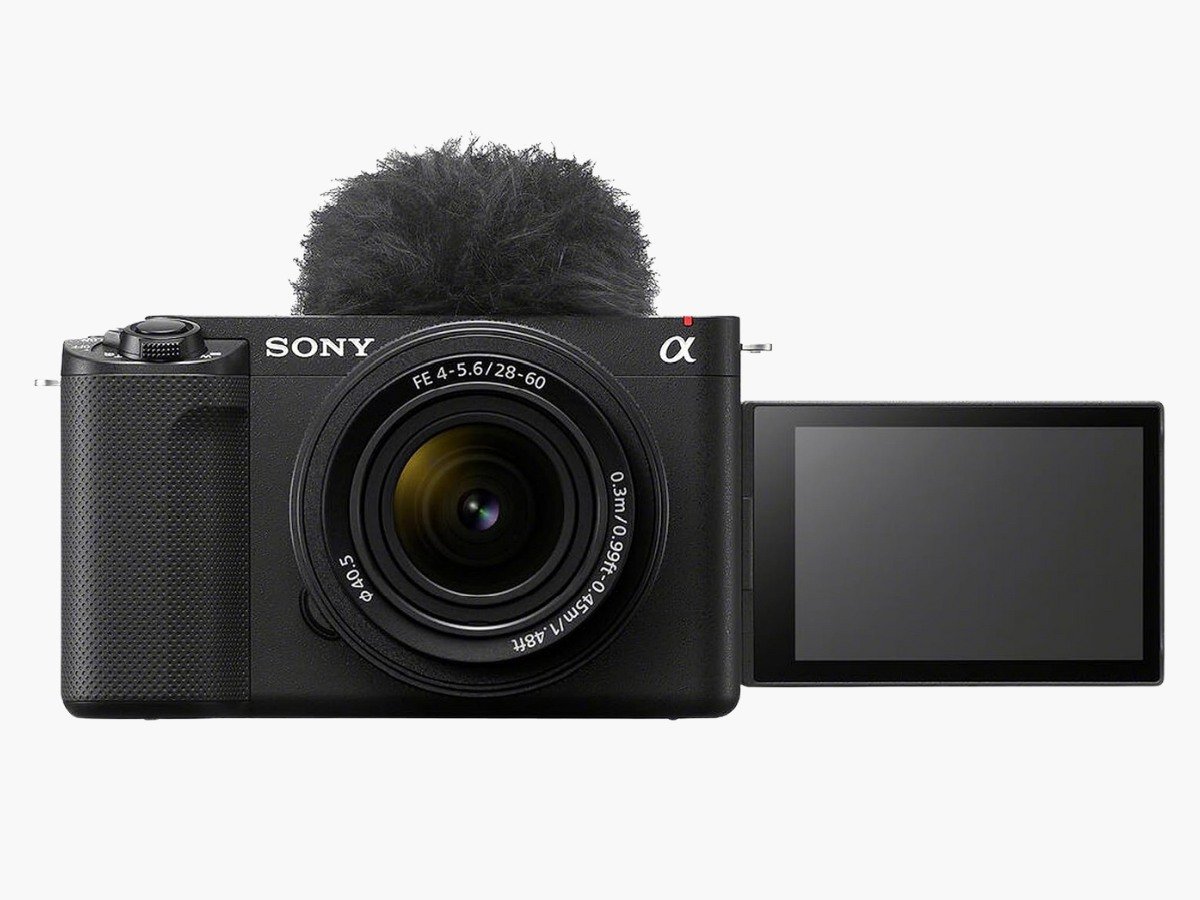
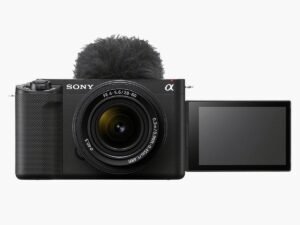
All in all, the Sony ZV-E1 is the best video camera for YouTube for more advanced videographers and filmmakers. The Sony ZV-E1 packs a full-frame sensor into a remarkably compact body that’s smaller than most APS-C cameras. It uses the same 12.1MP Exmor R sensor found in Sony’s cinema cameras, giving you professional image quality without the bulk.
Its key selling point is its video recording ability because it can shoot 4K video with 10-bit 4:2:2 color sampling. You get frame rates up to 120 fps in 4K with just a 10% crop at the highest setting. It also handles both standard recording and slow-motion recording without any quality loss.
The ZV-E1’s AI processing unit runs an Auto Framing system that crops and reframes your shot automatically. It tracks subjects even when the camera stays put on a tripod, creating the impression of a camera operator. It keeps subjects in frame while adjusting composition on the fly.
Product Showcase Mode switches focus from your face to objects you hold up to the camera. Multiple Face Recognition adjusts aperture automatically to keep several people in focus. Its built-in three-capsule microphone offers directional settings (Front, Rear, All Directions, or Auto) based on your recording setup.
A major upgrade is its framing stabilizer which combines Active Mode stabilization with AI subject recognition to keep your subject positioned correctly in frame. Apart from stabilizer, we also impressed with its cinematic Vlog Mode that adds black bars for a 2.35:1 widescreen ratio and locks the frame rate to 24fps for that film look. Despite housing a full-frame sensor, it’s more compact than Sony’s FX3. That’s why it’s one of the best 4k video camera for YouTube.
Best Cheap YouTube Camera
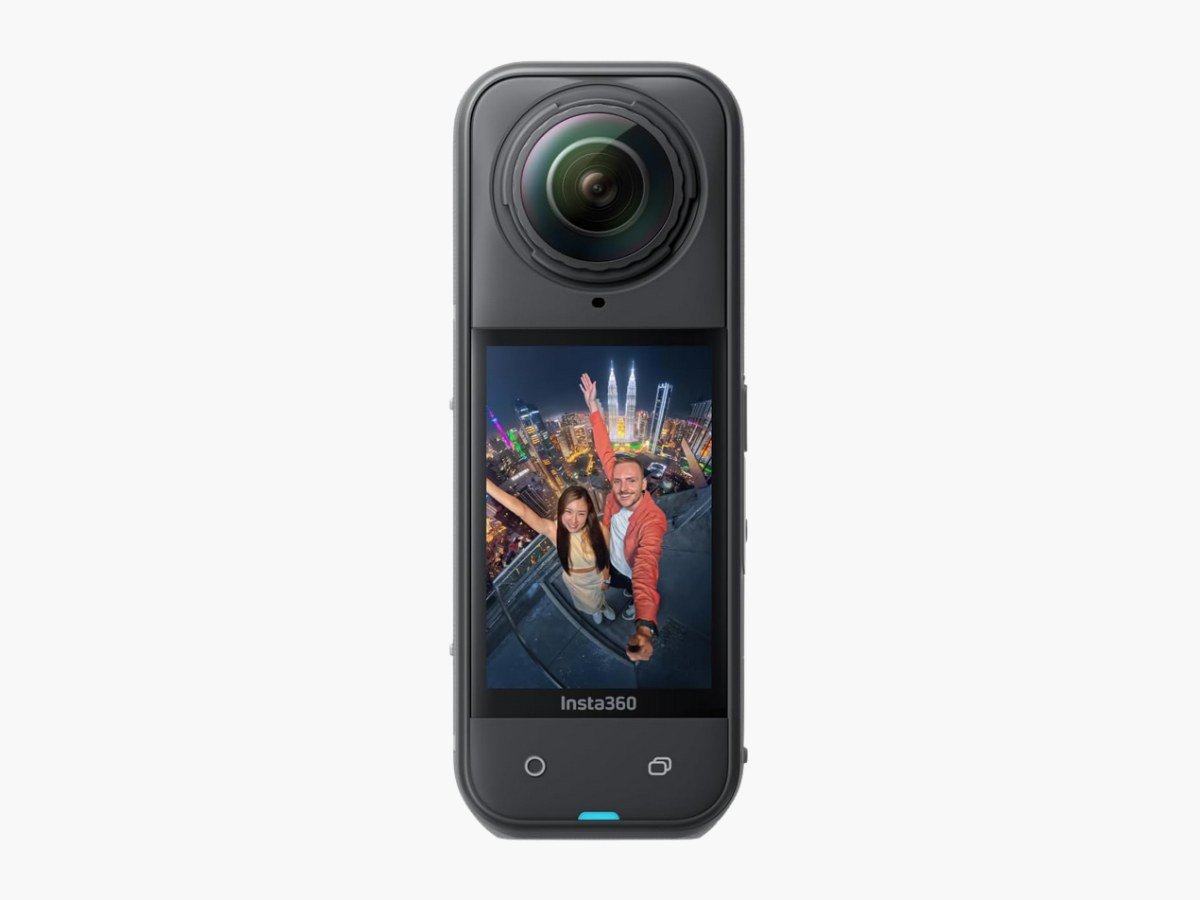
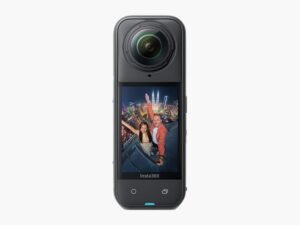
If you need a YouTube camera to make travel and adventure videos, there is no better option than Insta360 X5 camera due to its 360-degree 4k video recording and stabilization.Travel vloggers can now solve their recording challenges with the Insta360 X5 because it can capture everything around you, so you won’t need to worry about framing your video shots.
The X5 packs dual 1/1.28″ sensors that shoot 8K video in all directions. Unlike regular cameras, this 360-degree setup means you never miss the shot because there’s no wrong way to point it. It’s also a waterprrof YouTube camera because it can works underwater down to 49 feet. Most importantly, it’s the first 360 camera with replaceable lenses, so a cracked lens won’t end your trip. Recording everything simultaneously gives you incredible flexibility in post-production.
The InstaFrame Mode captures standard flat video while still recording the full 360-degree view. When light gets challenging, PureVideo mode uses AI to clean up noise in low light video recording. Its built-in Wind Guard tackles audio issues that plague outdoor recording.
This camera supersamples from 11K down to 8K, which produces sharper footage than native 8K recording. For action shots, the 5.7K60fps Active HDR mode captures detail in both bright skies and dark shadows. Whether you’re walking through busy markets or filming scenic landscapes, the video quality holds up across different lighting conditions.
After further testing, the Insta360 X5 is our best budget camera for YouTube videos due to its replaceable lens system. This means you can swap out damaged lenses instead of replacing the whole camera. Battery life jumps to 208 minutes—54% longer than previous models. The HyperCharging feature gets you to 80% battery in just 20 minutes.
Best High-end YouTube Camera
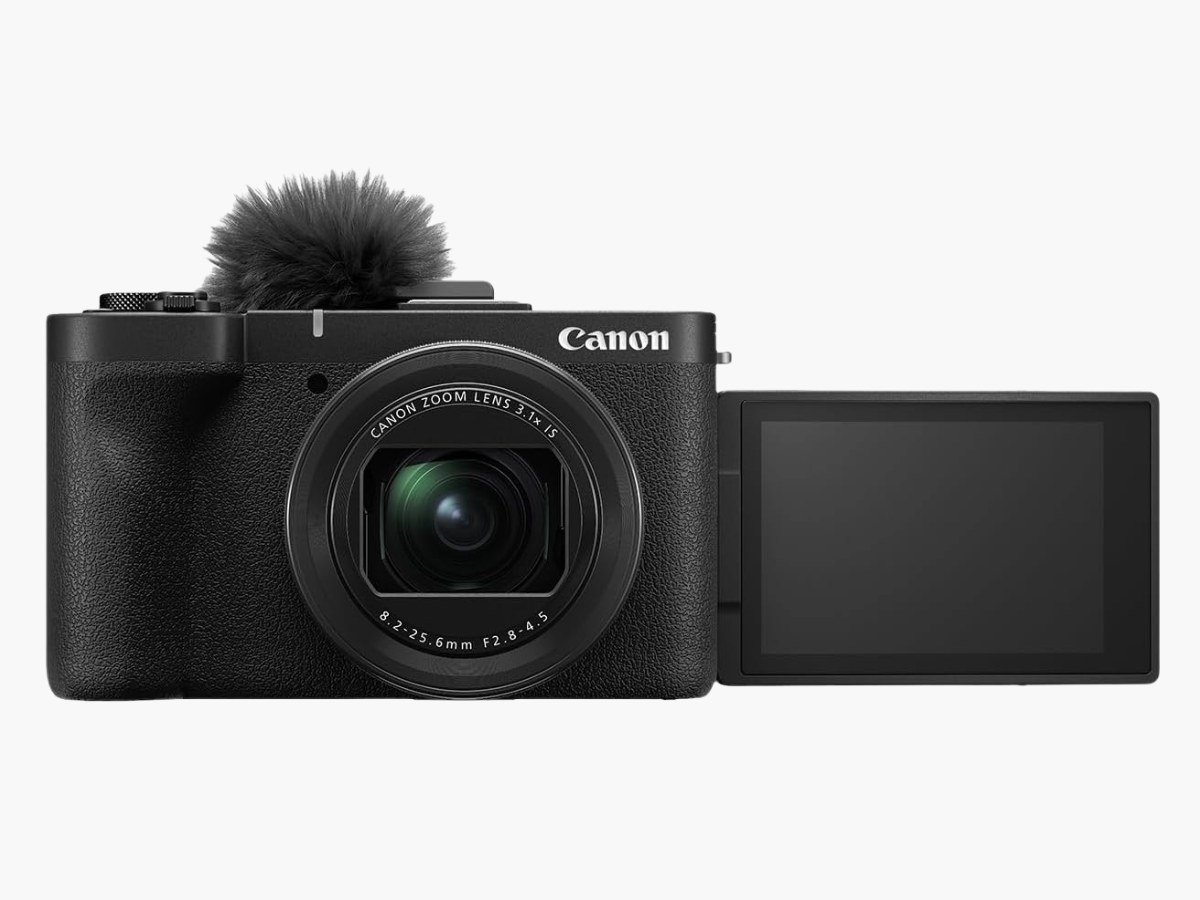
If you want to buy Canon camera for making YouTube videos, the latest Canon PowerShot V1 is the best choice to go. It’s a video creator camera that fits between your smartphone and a full mirrorless gear, offering high-end video in a grab-and-go package who want better quality than their phone without dealing with interchangeable lenses.
Canon has used a 1.4-inch 22.3MP sensor—larger than most compact cameras—with a built-in 16-50mm F2.8-4.5 zoom lens. Its video quality comes from 5.7K oversampling down to 4K/30p with no crop applied. Slow-motion options include 4K/60p with a 1.4x crop and Full HD at 120fps. Canon Log 3 recording gives you 10-bit color depth for more flexibility in post.
The most impressive feature is its built-in cooling fan which prevents overheating during long recording sessions, so you can film continuously without interruptions. A 3-stop ND filter handles bright outdoor conditions without overexposing your footage. Product reviewers get a Movie Close-up Demo mode that switches focus to objects you hold up automatically.
Along with its many other vlog friendly features, the larger-than-usual 1.4-inch sensor with a cooling system in a portable package, Subject Tracking and IS stabilization makes the Canon Powershot V1 the best Canon camera for YouTube.
10 Features To Look For in a YouTube Camera
Key technical specifications play a huge role in your video quality when choosing a YouTube camera. We’ve tested each camera for below features to list up top recommendations based on what actually matters for YouTube success. These features go beyond simple camera types and determine how your content looks in different shooting conditions. Whether you’re filming your first video or upgrading from a smartphone, the goal is matching the right technology to your creative vision.
4K Video Recording and Resolution Flexibility
Keep in mind that the 4K recording provides you four times more pixels than 1080p. Even if you publish in 1080p, shooting in 4K allows for cropping and reframing without quality loss. For professional-looking content, aim for at least 1080p Full HD at 60 frames per second. Some advanced cameras capture 4K at 60fps or even 120fps for smooth slow-motion footage. This extra resolution serves as insurance during post-production—you can punch in on shots, correct framing mistakes, or create multiple compositions from a single recording.
Autofocus and Tracking
Fast, reliable autofocus makes the difference between sharp footage and frustrating focus hunting. Face detection and tracking features keep you or your subject in focus during movement. Modern cameras with eye-tracking autofocus offer even better focusing precision. Because it keeps the subject’s face crystal clear throughout the recording. So also prefer a YouTube camera with advance autofocus and subject tracking.
Image Stabilization Technology
After the 4K video feature, the built-in stabilization—whether optical, electronic, or hybrid— is the key element to check in a camera before buying. In-body image stabilization (IBIS) moves the sensor to offset your camera’s movement. This method gives about 5 stops of stabilization without quality loss. In stark comparison to this, digital stabilization crops into your frame, trading some resolution to make footage smoother. IBIS works best with shorter focal lengths and loses effectiveness with telephoto lenses. To name just one example, a camera rated for 5 stops might only give you 1-2 stops with a 400mm lens. Yes, it is why most long lenses still need optical stabilization even with IBIS technology advances.
Low Light Performance
If you make indoor YouTube videos, you must have a camera with outstanding low light performacne. Your camera’s sensor size determines how well it handles low lighting—bigger sensors work better in low light. Always prefer APS-C sensors or larger for optimal low-light results. Poor low-light performance badly effects conditions when and where you can shoot, forcing you into well-lit environments only.
Slow Motion Recording
Now a days almost every YouTube video has slow motion effects to attract viewers. Because slow-motion capabilities add production value to your videos, with some cameras offering 1080p at 120fps or even 4K slow-motion options. These creative tools help differentiate your content from basic smartphone footage. So it’s recommended to choose a camera with slow motion supportive modes.
Frame Rates
Frame rates affect how motion appears in your video. YouTube accepts frame rates between 24-60fps. Lower frame rates (24fps) create a cinematic look ideal for narrative content. Higher frame rates (60fps) better capture fast action such as sports or gaming content. For most YouTube videos, 1080p at 30fps represents the sweet spot balancing quality and file size. If your content features rapid movement, prioritize frame rate over maximum resolution—viewers notice choppy motion more readily than slightly reduced sharpness.
Resolution refers to pixel dimensions, whereas frame rate measures how many images appear per second. Common resolutions include:
- 1080p (1920×1080): True HD that looks sharp on medium screens
- 1440p (2560×1440): Sometimes called “2K” resolution
- 4K (3840×2160): Ultra-detailed image even on large screens
Connectivity Features
Built-in WiFi gives you wireless file transfers and remote camera control. This connectivity becomes essential for solo shooting—you can start and stop recording, adjust settings, and review footage without leaving your position in front of the camera. Our all recommended cameras come with buil-in WiFi and other smart connectivity features.
Live Streaming
If you do live videos, then choose a camera that offers live streaming feature to platforms like YouTube, Facebook, and Twitch. For reliable 4K streaming, you’ll need at least 5-10 Mbps upload speed. However, most creators find dedicated streaming software more flexible than in-camera streaming.
Battery Performance
Always remember that the battery performance varies dramatically between camera models. Professional cameras typically offer 3+ hours of recording time per battery. Look for power-saving features like screen dimming and auto power-off to extend usage. Prepare for long duration shooting sessions by considering external power options or purchasing additional batteries. Nothing disrupts creative flow like a dead battery during an important take.
Microphone
We know that even the great videos become worthless with poor audio quality. External microphone inputs allow significant sound quality improvements. A 3.5mm microphone jack is essential, while headphone outputs let you monitor audio levels during recording. Despite improvements in built-in microphones, dedicated external mics produce noticeably superior results. The audio quality upgrade often impacts viewer experience more than minor video quality improvements.
How To Choose the Right Type of Camera For Making YouTube Videos
Different camera types serve different YouTube creators, and understanding these distinctions helps you choose the right type of camera that actually fits your video making needs.
Mirrorless Camera
Mirrorless cameras offer the best balance of image quality and portability for making advanced YouTube videos. Its interchangeable lens system gives you options—wide-angle lenses for vlogs, telephoto lenses for interviews, or macro lenses for product shots. The Sony α6700 captures 4K video at 60 frames per second with 10-bit log recording for professional color grading. Its APS-C sensor produces less noise in low-light situations and creates a higher dynamic range compared to smaller sensor cameras. The main advantage is its versatility. You can start with a basic kit lens and add specialty lenses as your content evolves. The downside is complexity—more options mean more decisions, and lenses add cost and weight to your setup.
Action Camera
Action cameras are best known for making videos in challenging environments. The GoPro Hero13 Black offers exceptional stabilization and 5.7K resolution that allows for significant cropping while maintaining quality. The DJI Osmo Pocket 3 takes a different approach with its built-in gimbal that automatically tracks subjects. These ultra-portable cameras capture smooth footage during high-movement activities that would challenge traditional cameras. They’re also nearly indestructible. The trade-off is limited manual controls and smaller sensors that struggle in low light.
360-degree Camera
For YouTubers who want maximum flexibility in post-production, 360-degree cameras capture everything around you simultaneously. The Insta360 X5 uses two fisheye lenses to record spherical footage that you can edit into traditional videos from any angle. This technology lets you choose camera angles after filming, and many models offer “invisible selfie stick” technology that hides the mounting apparatus from footage. The creative possibilities are extensive, but the learning curve is steep. You’ll need specialized editing software and significantly more storage space for the large video files.
Compact Camera
If you prioritize portability without sacrificing high quality, compact cameras provide a practical middle ground. The Sony ZV-1 II compact camera features a 1-inch stacked sensor that’s significantly larger than most smartphone sensors. It relies on software stabilization rather than optical stabilization, but its Active Steadyshot feature produces relatively smooth 4K footage. At around $900, you get professional features in a pocket-sized package. The fixed lens limits your creative options, but it also eliminates the complexity of choosing and carrying multiple lenses.
How To Choose the Best Camera For YouTube Videos?
Define Your YouTube Goals
You don’t need to buy a camera immediately. Start by understanding what you actually need for your specific YouTube journey. Many successful creators began with whatever gear they had available and upgraded only when their current equipment genuinely limited their creative vision.
What type of content will you create?
The videos you plan to make determine which camera features matter most. Sit-down tutorials work well with heavier DSLRs in controlled lighting, while walk-and-talk vlogs need lightweight mirrorless cameras with good stabilization. If you’re planning livestreams, your smartphone or a decent webcam might handle everything you need.
Consider your filming environment as much as your content style. Indoor studio setups allow for larger, more powerful cameras since you won’t be carrying them around. Outdoor shooting demands portability and weather resistance. The best camera is the one that works in the conditions where you’ll actually be filming.
How often will you shoot?
Your shooting frequency directly impacts which features provide real value. Daily or weekly creators need cameras with excellent battery life, durable construction, and efficient file management. If you’re filming occasionally, prioritize ease of use over extended battery capabilities. Frequent shooting also means more memory cards, faster data transfer, and potentially backup equipment. Factor these ongoing costs into your initial camera budget rather than discovering them later.
Will you film solo or not?
Self or solo vlogging needs technical requirements that affect your camera choice. Solo creators benefit enormously from flip screens, reliable face-tracking autofocus, and remote control capabilities. These features let you verify framing and focus without an assistant behind the camera. Portability becomes crucial when you’re managing everything yourself. A youtube equipment you can easily reposition and adjust solo makes production significantly more manageable than struggling with heavy gear.
Why You Should Trust Our YouTube Camera Reviews
Our expert reviewed cameras through standardized testing across multiple scenarios that includes walk-and-talk sequences, high-contrast scenes, and challenging lighting situations that match real YouTube video making. We test autofocus tracking, stabilization effectiveness, and battery performance during extended recording sessions. We also examine how cameras handle overheating during long recording sessions—a common issue that specifications don’t reveal.